Sync Calendar with Android CalDAV-Sync
In this article
Sync Calendar with Android CalDAV-Sync
Android does not provide built-in CalDAV support. To connect to CalDAV server from Android, you will need to install the third-party connector for Android calendaring application called CalDAV-Sync or any other client software that supports CalDAV.
Important! CalDAV-Sync client does not support NTLM authentication. Your server must support Basic or Digest.
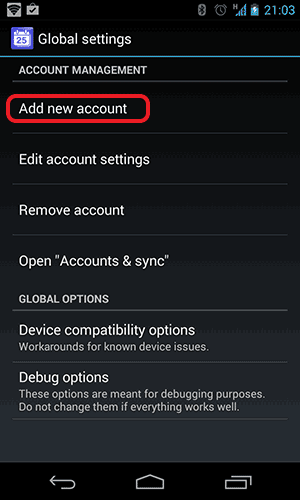
After the installation run the CalDAV-Sync and select Add New Account:
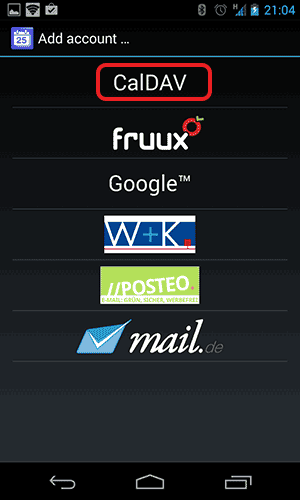
Select CalDAV:
Provide CalDAV server URL and credentials:
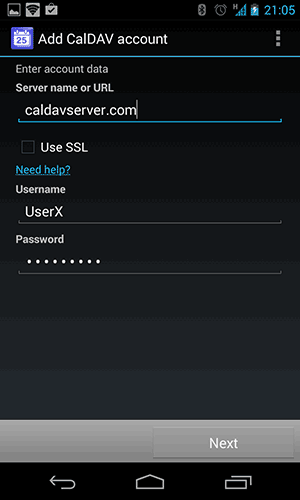
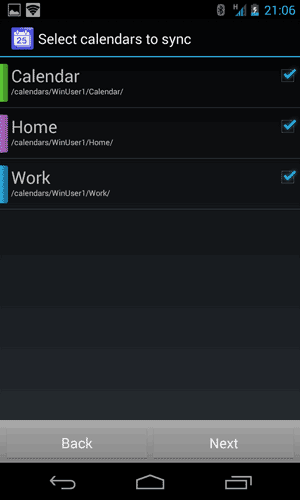
The CalDAV-Sync application supports CalDAV discovery, so you can provide only the path to your CalDAV server, it will find calendars and display them on the next step:
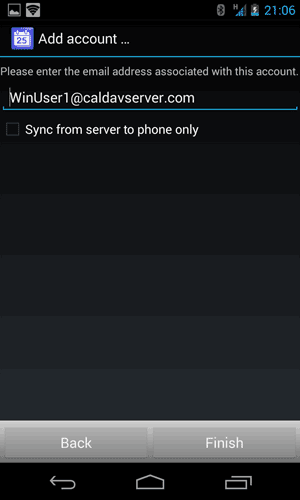
Finally provide your email address: